
Urgent in the right queue — without reading a hundred messages every morning
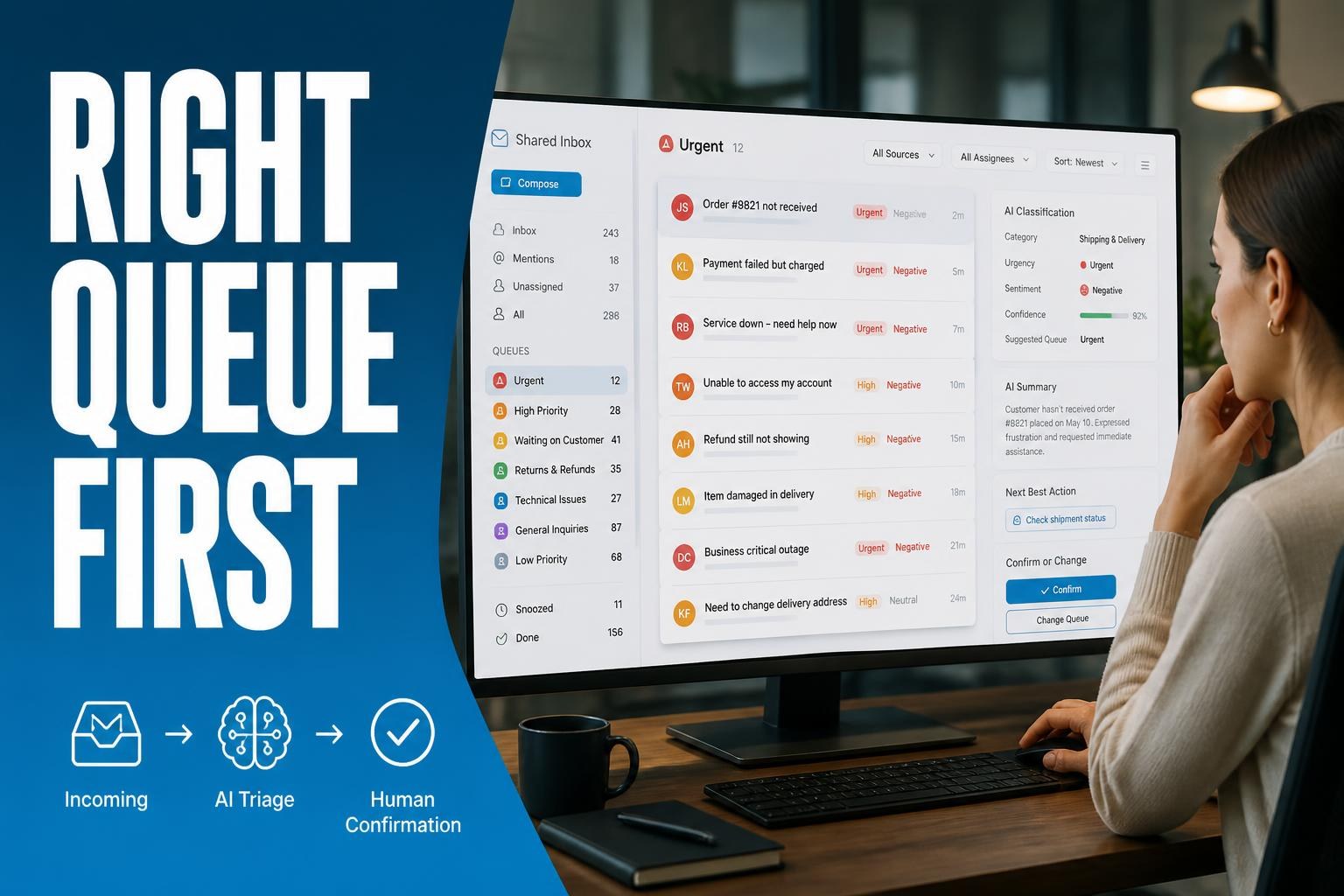
Email and ticket classified by subject, urgency, and sentiment — human confirms exception and real queue becomes visible.
Back-office stops opening shared inbox in arrival order. Intelligent triage reads received email and tickets, suggests queue, priority, and category with confidence score — VIP client, critical complaint, and spam go to different destinations. Analyst confirms or corrects edge cases; each decision feeds retraining. Supervisor sees backlog by subject and SLA; team handles resolution, not repeated reading at day start.
What blocks you today
Shared inbox mixes urgent, spam, and routine request. Manual triage consumes the morning; important client waits behind newsletter. Supervisor doesn't measure real queue or triage productivity — only overload feeling.
What changes in practice
- Automatic classification by subject, urgency, sentiment, and suggested queue
- Visible confidence score — low confidence goes to human confirmation
- Routing rules by unit, product, or client profile
- Backlog and SLA panel by queue for service management
- Integration with help desk, CRM, or email you already use
Business outcome
Triage drops from hours to minutes. Urgent enters right queue in same cycle. Supervisor measures productivity and SLA by subject — not just raw message volume.
Where it usually fits
- B2B or B2C customer service with shared inbox and high daily volume
- Back-office receiving email, form, and ticket in same funnel
- Networks and franchises with queue by unit and franchisee priority
- Regulated operations with SLA by request type
- Teams with Tier 1 but losing time triaging before responding
How it evolves next
With stable triage, you can connect Tier 1 copilot, ERP status, or post-service survey in the same flow.
- Tier 1 support copilot with suggestion based on similar tickets
- Order or protocol status querying ERP through preferred channel
- Lead qualification before forwarding to sales
- Document classification in same inbox
- Satisfaction survey triggered after ticket resolution
Shared inbox mixes urgent, spam, and routine request?
Manual triage consumes the morning? Contact us — we build the pipeline with clear exceptions and audit trail.